 Little Days
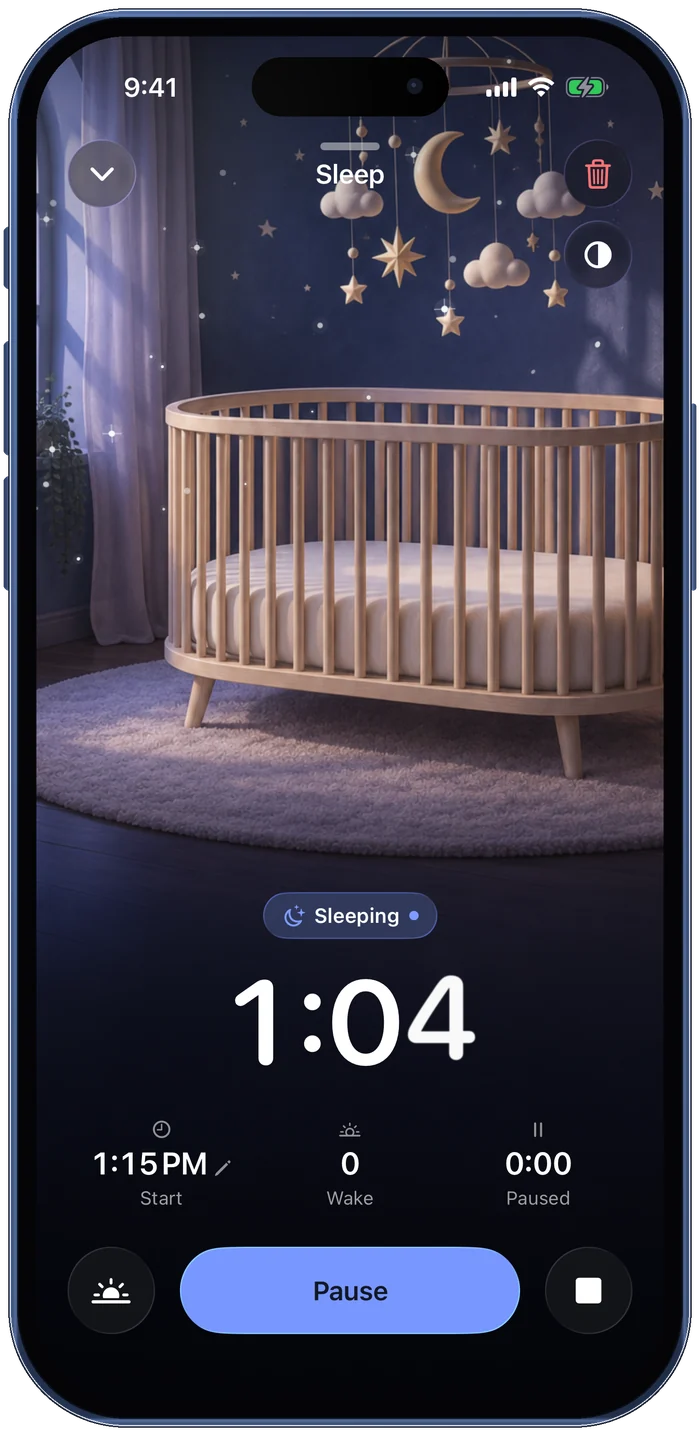
One tap, even at 3am
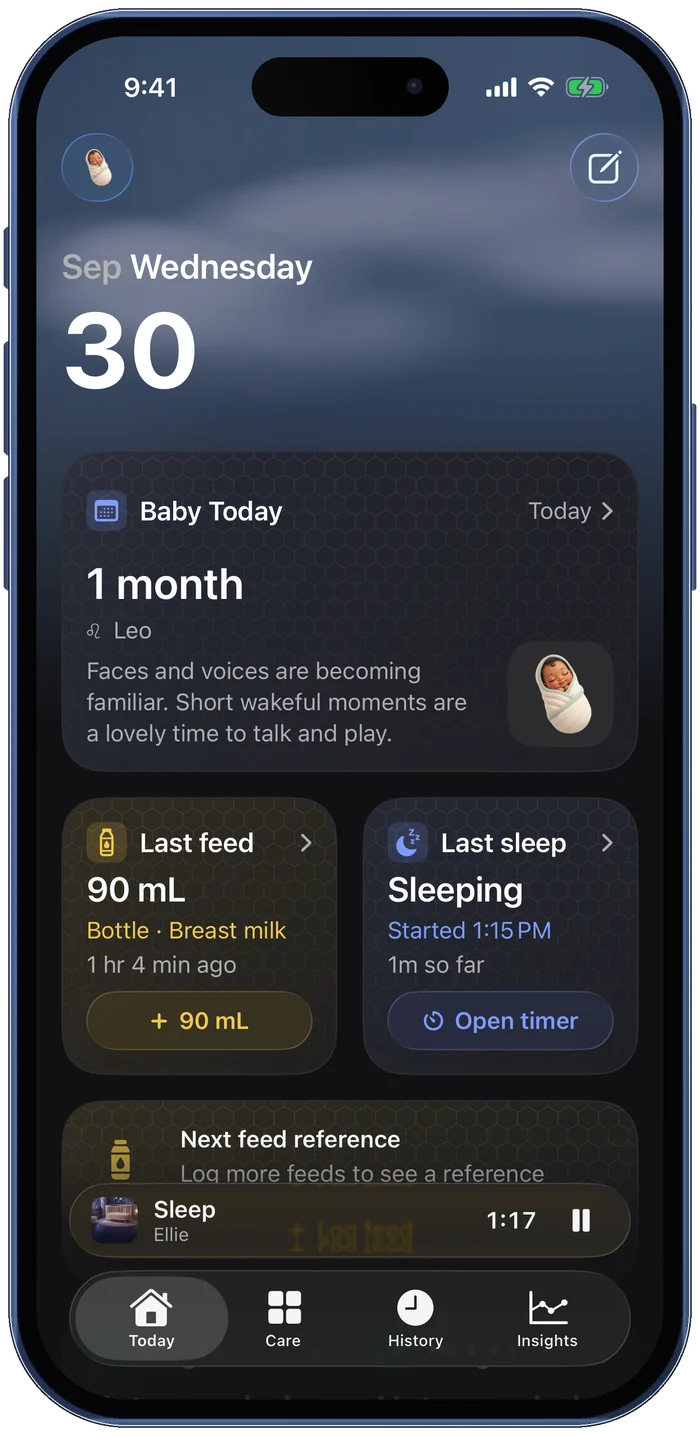
Start a nap or a feed with one tap. Timers keep running on the Lock Screen and in the Dynamic Island, and a dim mode keeps the room dark.
Feeds, sleep and diapers in one tap, day or 3am. Everyone who helps sees the same day, on iPhone, iPad, Apple Watch and soon Android.
What Little Days does
It keeps feeds, sleep and diapers in one calm place, and shares every entry with the people who help, so nobody has to ask when the baby last ate.
Start a nap or a feed with one tap. Timers keep running on the Lock Screen and in the Dynamic Island, and a dim mode keeps the room dark.
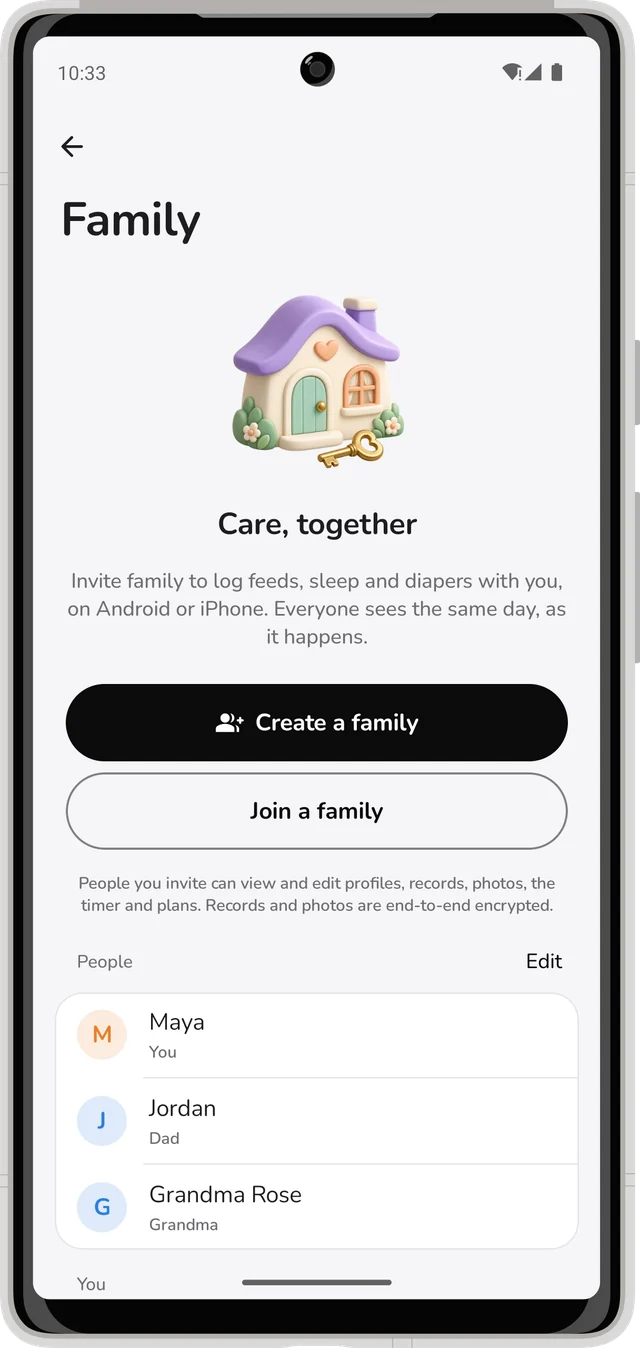
Invite a partner, grandparent or nanny with a link or a short code. iPhone and Android share the same day, end-to-end encrypted.
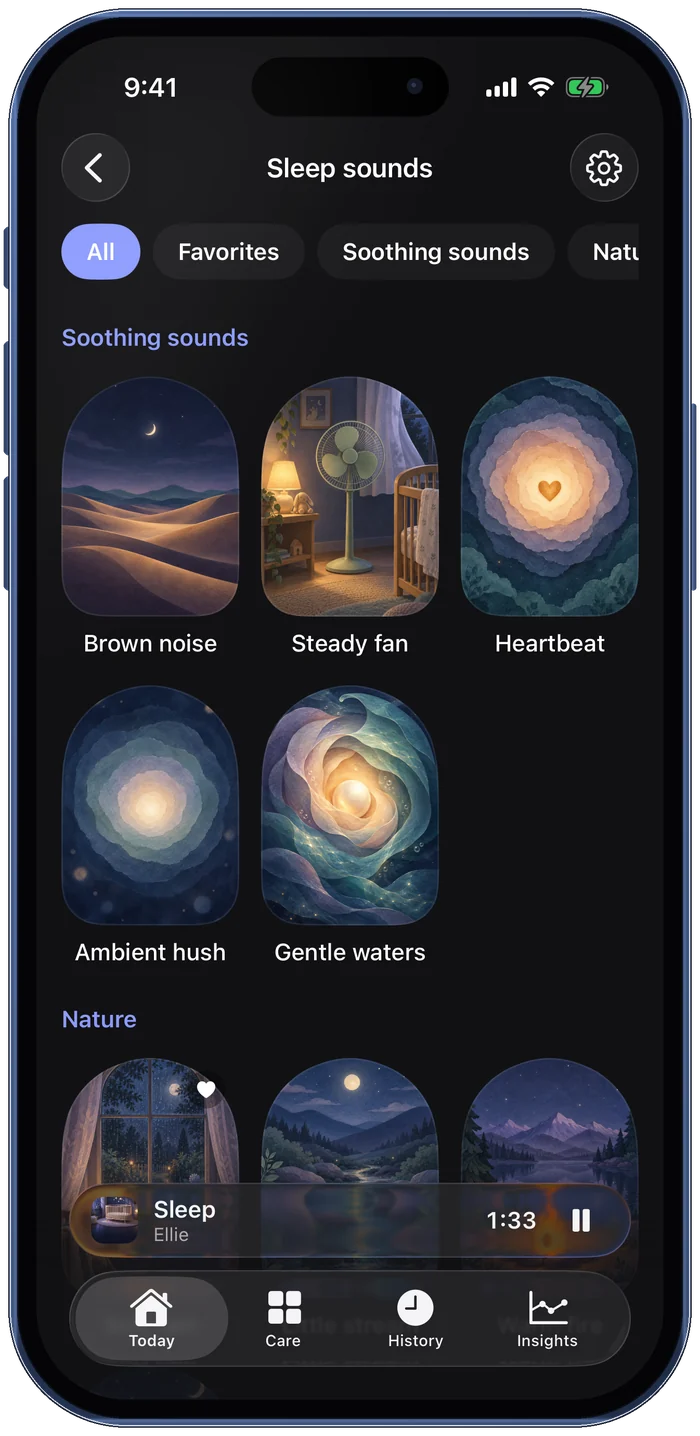
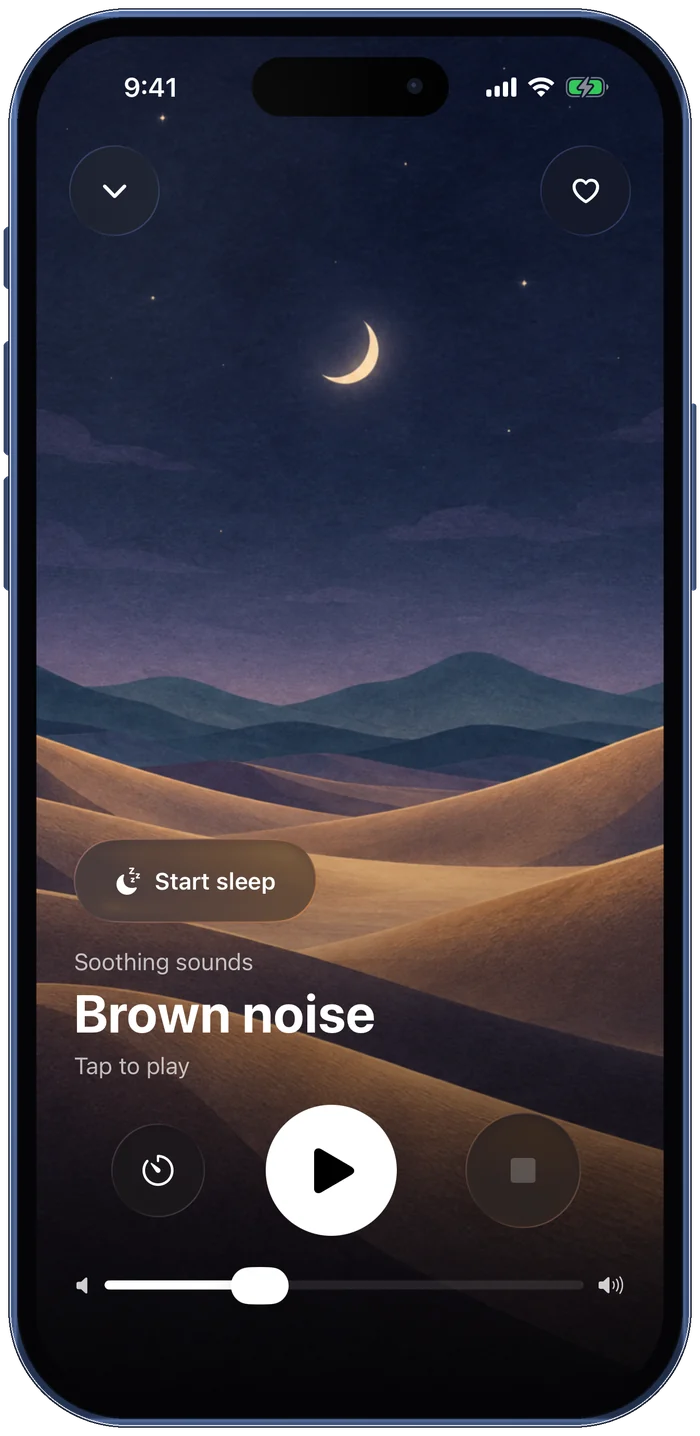
Brown noise, fan, heartbeat and nature sounds with a stop timer, plus a next-nap estimate from your baby's own rhythm.
Import exports from nine baby apps and check a preview first. Export a PDF or CSV for your pediatrician any time.
Pricing
No subscription, no ads, no account, and nothing to unlock later.
$0
forever, for everyone you invite
Yours
stays on your devices
Read the privacy policy.
What's inside
Breastfeeding timer per side, bottles, pumping with a milk stash that counts itself, and solids with an allergen checklist.
Nap and night timers, awake time, and a gentle next-nap estimate.
Potty training, tummy time, temperature, doctor visits, milestones and your own trackers.
Weight, length and head size on WHO percentile curves, with adjusted age for babies born early.
Log a bottle or start a nap from Apple Watch, the Lock Screen or a Home Screen widget.
Several babies in one place, with a side-by-side view for twins and siblings.
Your own water, meals, medicine and mood, private on your phone.
Kick counter, contraction timer and checkup notes, then baby tracking on arrival day.
Daily and weekly charts for feeds, sleep and diapers, over 7, 30 or 90 days.
Support
Open Family and choose Invite someone. iPhones can join through an iCloud link or a short code; Android phones join with the code (Family › Join a family). Records are end-to-end encrypted before they leave your phone.
Check that each device has an internet connection. On iPhone, also check you are signed in to iCloud. Family › Sync & sharing shows the status and has Sync now. Changes usually appear within seconds.
Yes. Choose Import from another app during setup, or Settings › Import and export. Little Days reads exports from Huckleberry, Glow Baby, Hatch Baby, Baby Tracker, Nara Baby, Baby Connect, Baby Daybook, PiyoLog and Baby Buddy.
Settings › Import and export lets you create a PDF or CSV to share with your pediatrician or keep as a backup.
Yes. Every feature is free, with no subscription or ads.
Yes, it's in closed testing now and coming to Google Play soon. Android phones can already join a family that uses iPhones, and everyone sees the same records.
Send us a message on GitHub (a free account is needed). We usually reply within two working days. Messages there are public, so please leave out your baby's records and other personal details.
Little Days is a logging tool and does not provide medical advice. If anything seems unusual, contact your doctor or care team.
Little Days
Free on iPhone, iPad and Apple Watch. Android is in testing now.